
Get complex YouTube videos explained simply
Free, no account needed.
How it works
1 Paste a link
Drop in any YouTube video, or share it straight from the YouTube app.
2 Pick what you need
A summary, timestamped sections, or ask the video a question.
3 Get it in seconds
Read the key points instead of watching the whole thing.
SnapSummary Demo
Paste a video link to simplify complex topics.
Desktop Demo
Step 1. Copy YouTube Link
Step 2. Paste into SnapSummary
Step 3. Choose analysis tool
Mobile Demo
Step 1. Find video on YouTube app
Step 2. Press share with SnapSummary
Step 3. Choose analysis tool
Everything You Need to Master YouTube Videos
Powerful AI tools to help you understand and engage with YouTube videos more effectively
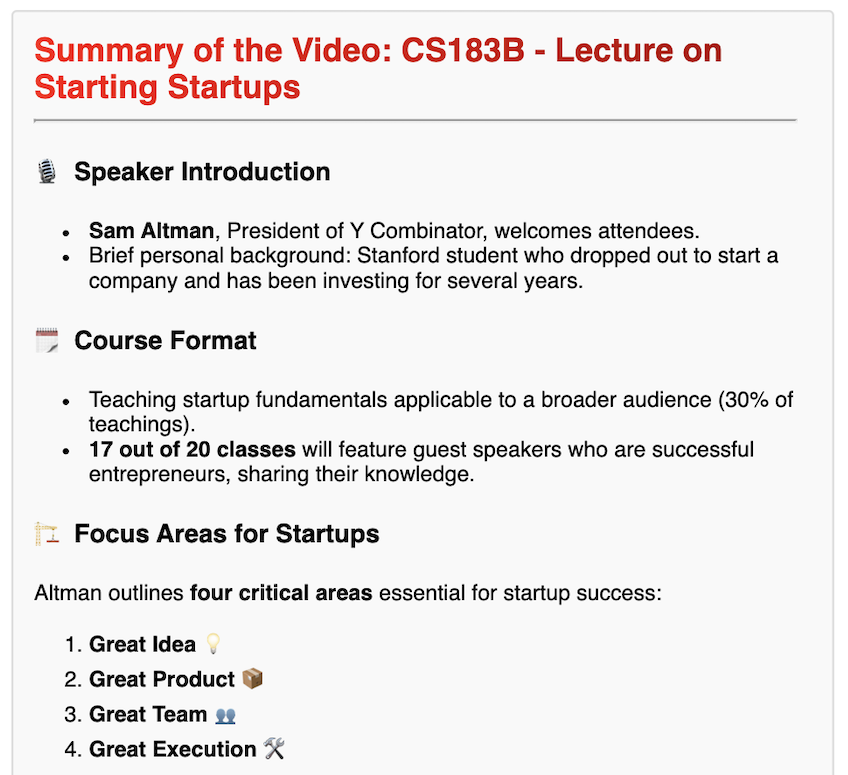
Summary
Get a concise summary of the entire video content instantly.
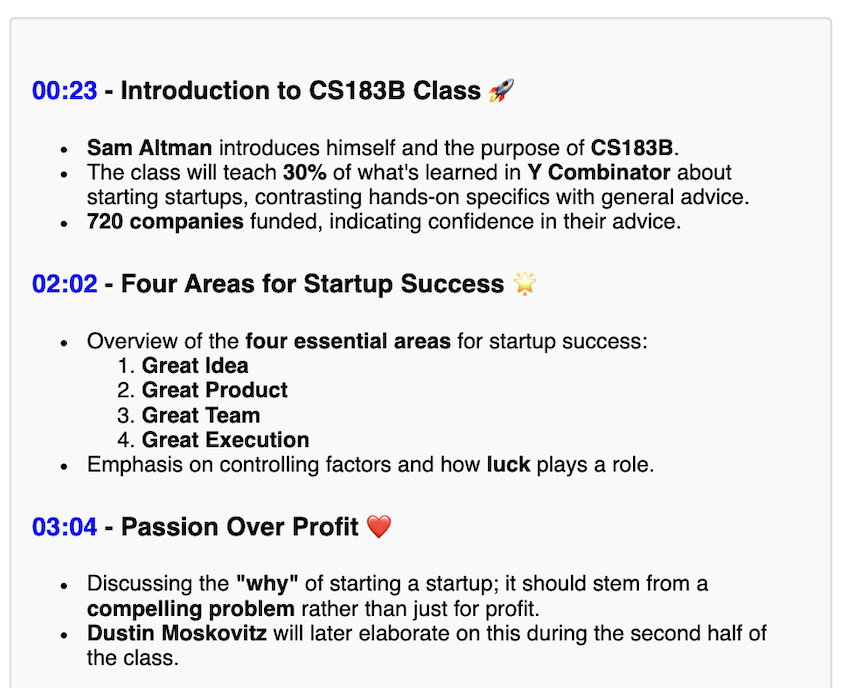
Timestamps
Access detailed summaries at specific timestamps throughout the video.
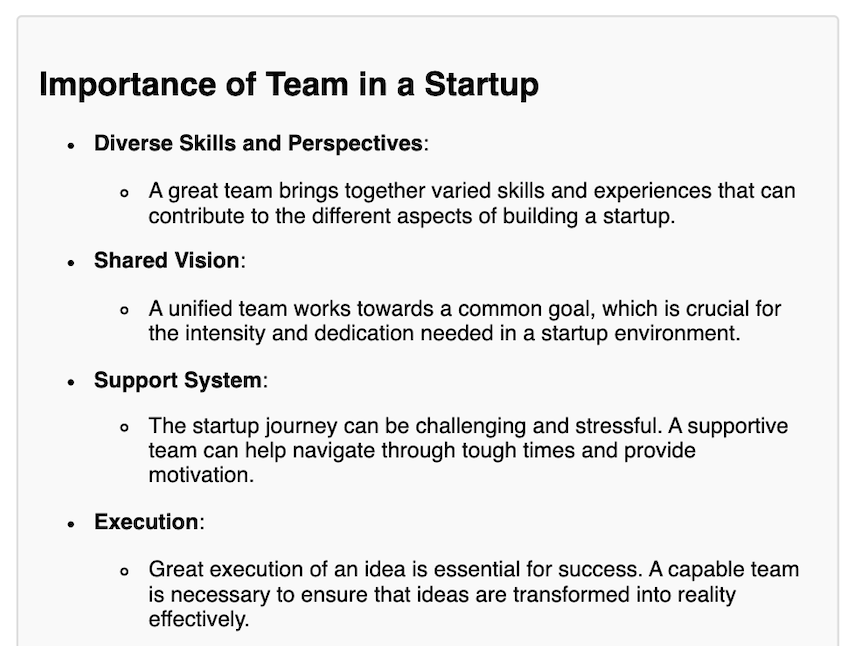
Q&A
Ask questions about the video content to gain deeper understanding.
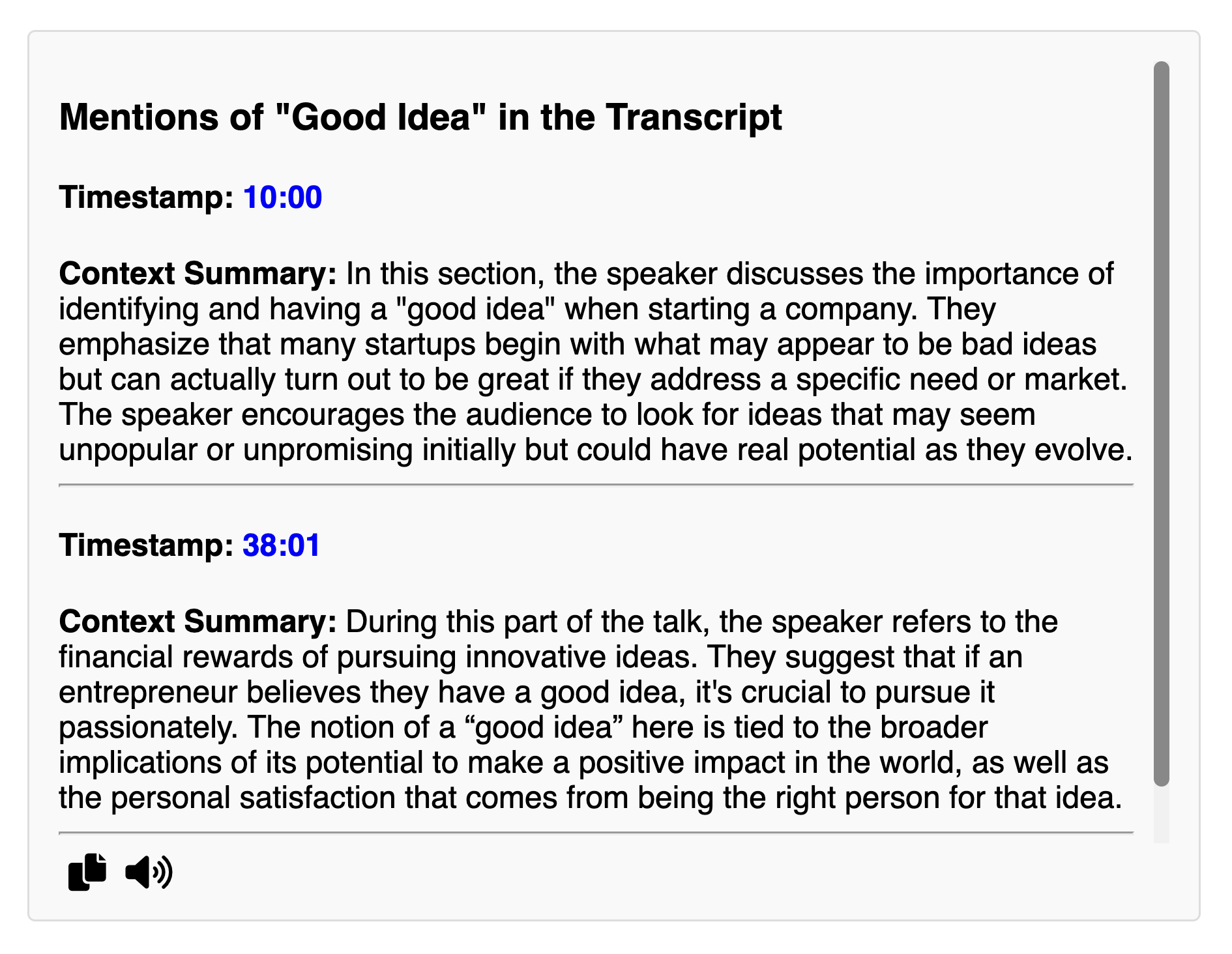
Search
Quickly locate specific terms or topics mentioned in the video.
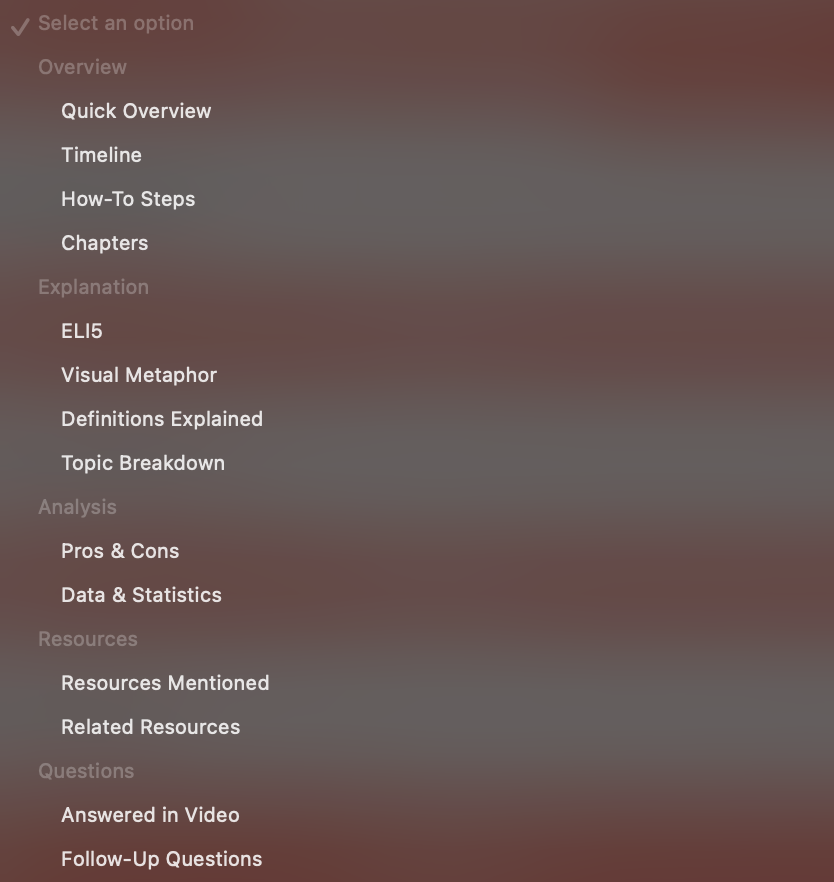
More
Explore more tools to help with video comprehension.
Never miss a video from the channels you love
Follow a channel and we summarize every new upload for you. Nothing to paste.
Follow channels
Pick the YouTube channels you don't want to fall behind on.
We summarize new videos
Each new upload is summarized automatically, as soon as it's out.
Get a digest
A round-up in your inbox, plus a feed and digest page in the app.
Free plan: 1 channel and a weekly email. Paid plans follow more and can send daily.
Summarize from your browser
Get AI summaries of YouTube videos and web pages without leaving the tab you're on.
- Works on YouTube videos and web pages
- Free to use

Explore SnapSummary Use Cases
Discover the various ways you can use SnapSummary to enhance your YouTube experience.
Podcasts
Quickly get the key takeaways from lengthy podcast episodes.
Educational Videos
Summarize lectures, tutorials, and documentaries to reinforce learning.
News & Current Affairs
Stay updated with concise summaries of the latest news and interviews.
Entertainment
Summarize movie reviews, TV show breakdowns, and vlog recaps.
How-To & Tutorials
Break down step-by-step guides for quick reference.
More
Use SnapSummary to save time and streamline your YouTube experience.
Simple, Transparent Pricing
Choose the plan that works best for you
Free
- 5 summaries, then 1 a week
- Follow 1 channel
- Weekly email digest
Pro
- 20 summaries a week
- Follow up to 10 channels
- Daily or weekly email digest
Unlimited
- Unlimited summaries
- Unlimited channels
- Daily or weekly email digest
- New features first
For personal use only.
For commercial use, see API.
Monthly plans. Cancel anytime.
| Free | Pro | Unlimited | |
|---|---|---|---|
| SummariesEach video you summarize uses one (shown as "credits" in the app) | 5, then 1 a week | 20 a week | Unlimited |
| Channels you can followWe summarize every new video from them for you | 1 | Up to 10 | Unlimited |
| Email digestA round-up email of the new videos from your channels | Weekly | Daily or weekly | Daily or weekly |
| FeedShort, timestamped ideas pulled from your channels' videos | |||
| Digest pageEvery summarized video from your channels, all in one place | |||
| Chat with any videoAsk questions about a video | |||
| Creator toolsPin-ready summary comments for your own videos | |||
| New features firstEarly access to what we build next | – | – |
Frequently Asked Questions
What does SnapSummary do?
SnapSummary uses AI to provide quick summaries, timestamp highlights, answers to questions, term search, and additional tools to help you get the most out of any YouTube video.
Is SnapSummary free to use?
Yes. The free plan gives you 5 summaries to start, then 1 every week, with no account needed to try it. Pro ($5/month) gives you 20 a week, and Unlimited ($10/month) has no limit.
What types of videos can it summarize?
Any public YouTube video with subtitles, supporting all languages. Popular types include educational content, news, podcasts, and more.
Does it work on mobile devices?
Yes, SnapSummary is mobile-friendly.
Where can I find SnapSummary support?
Join our Discord for support, feedback, feature requests, and updates.
What users say
Reviews from There's An AI For That
"Absolutely amazing technology! Highly recommend for anyone wanting to get a summary of a YouTube video."
- AI777, Oct 2024
"They really improved. Along with the generated video summary, they now added a generator tool that can make detailed notes with relevant timestamps … an AI chatbot to ask questions about the video … a 'search term' look-up to find when a specific term was used in the video."
- Andrea B, Oct 2024
Featured on There's An AI For That and Product Hunt
Make Learning Easy!
Join 3,000+ users who are already working smarter with SnapSummary
Get Started For Free